Projects · Atomic Grid
How I built Atomic Grid
Atomic Grid is an arena game for the browser that I've built in my spare time. This is the story of the art, the 3D models, the animation, the server and the client, and what you can take from it if you want to make a browser game yourself.
- 10players in one arena
- 100updates a second from the server
- 0things to install
- 32levels in 11 arenas
- 717automated tests
- 962lines for the announcer
The idea: one link, and you're playing
The inspiration is Atomic Bomberman: you drop bombs on a grid, blow crates away, pick up power-ups and try to be the last one standing. It's at its best with lots of people playing together. The goal was to make getting people together just as easy today: a lobby, a four-letter code, and you're in, on a computer or a phone.
Atomic Grid is written from scratch in C# and .NET 10, and the art, levels, sound and music were made for the game. It has its own world, too: the machines have taken over, and decommissioned demolition robots fight in fenced-in arenas while a cheerful announcer calls the matches without noticing that the world has ended.
How the game grew
I built the game together with Claude Code. I decided the direction, the design and what to test, and the AI wrote a large part of the code. More than half of the 289 commits were written together with Claude. The game grew in this order:
- The game engine, the server and the client.
- Bots, gamepads, touch on phones and QR codes for joining a lobby.
- The game's own world and the art pipeline.
- The robots as 3D models.
- The 3D view in the browser.
- Accounts, and blocks as real 3D models.
- After that, security, operations and documentation.
Server and client: the server decides
The game runs on the server 100 times a second. The game itself is a pure simulation in C#, with no screen or network, and its randomness comes from a fixed seed. The same starting point and the same key presses therefore give exactly the same game every time. Everything else builds on that:
- Nobody can cheat by changing things in the browser, because the browser only shows what the server says.
- A match can be replayed from a log, and a lobby can carry on after the server restarts.
- Bots can play whole tournaments against each other without a screen, around 120 matches a second. That's how they got good. In the game they fill empty seats and take over when a player loses their connection.
The browser and the server talk over a WebSocket. The browser sends key presses, and the server sends back a small binary snapshot every hundredth of a second, 200–330 bytes each. The browser shows the game 30 milliseconds behind and blends between the snapshots, so movement looks smooth.
The client is Blazor WebAssembly. The same C# code that runs on the server is compiled to WebAssembly and runs in the browser. That's why, while you wait in a lobby, eight bots play a real match right on the page with the same game engine.
Hosted at home
The game runs in a Docker container on my server at home. Every change is built and tested on GitHub: 717 tests have to pass, and the WebAssembly bundle may be 25 MB at most. Once a change is approved, the server pulls the new version by itself within a minute, and running lobbies carry on after the restart.
Why WebAssembly and 3D in the browser?
A game in the browser has one big advantage: there's nothing to install. You get a link or scan a QR code, and you're in, on a phone too, where there's a d-pad on the screen. You don't even need an account. That makes it easy to get a whole living room or office into a match.
WebAssembly lets a real programming language run in the browser at close to full speed. For me that meant one codebase in C#: the same game engine runs on the server, in the bot tournaments and in the demo in the browser.
3D in the browser doesn't need big libraries either. The 3D view in Atomic Grid is its own WebGL2 renderer of about 1,000 lines of JavaScript, without three.js or Babylon.js. It shows the robots as pictures in 3D space and the blocks as real 3D models, with day, dusk and night lighting and up to 32 lights.
There are things to watch out for, too. The WebAssembly bundle has to download before the game starts, so its size has to stay small. And not every machine likes 3D. So the classic 2D view is the default, and 3D is a choice in the options.
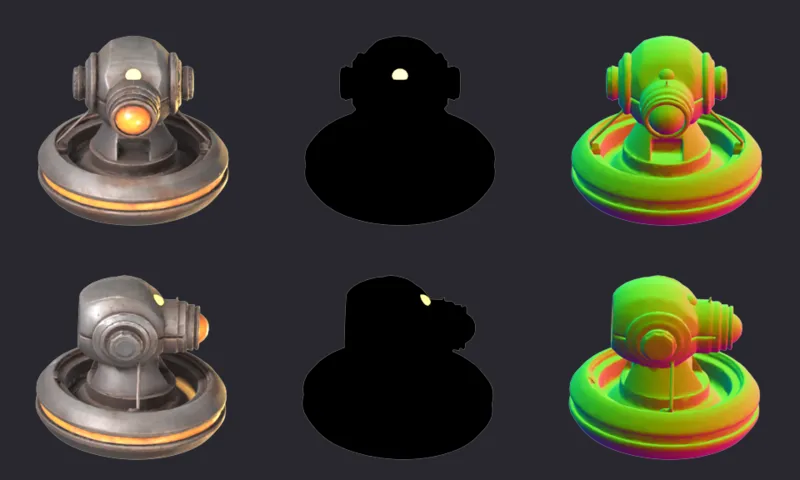
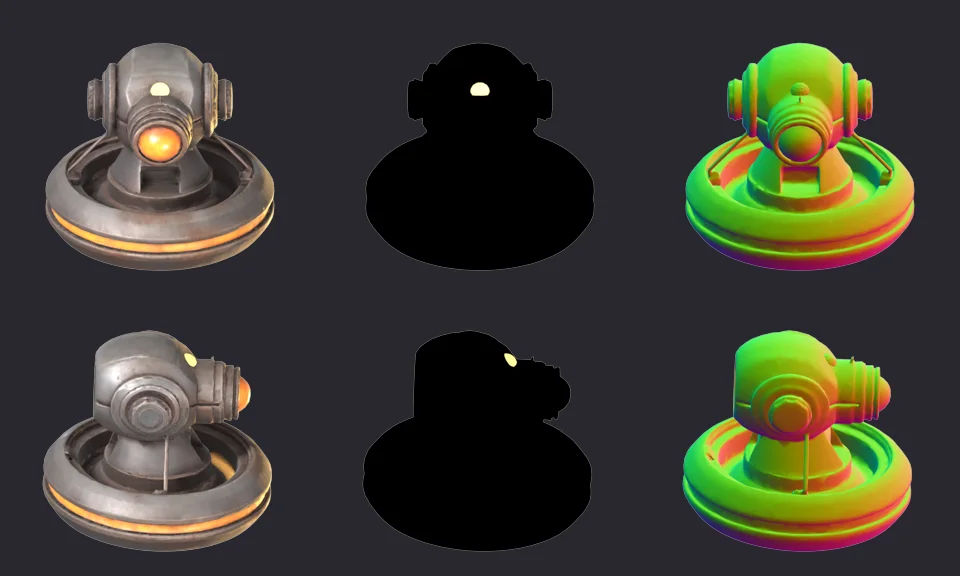
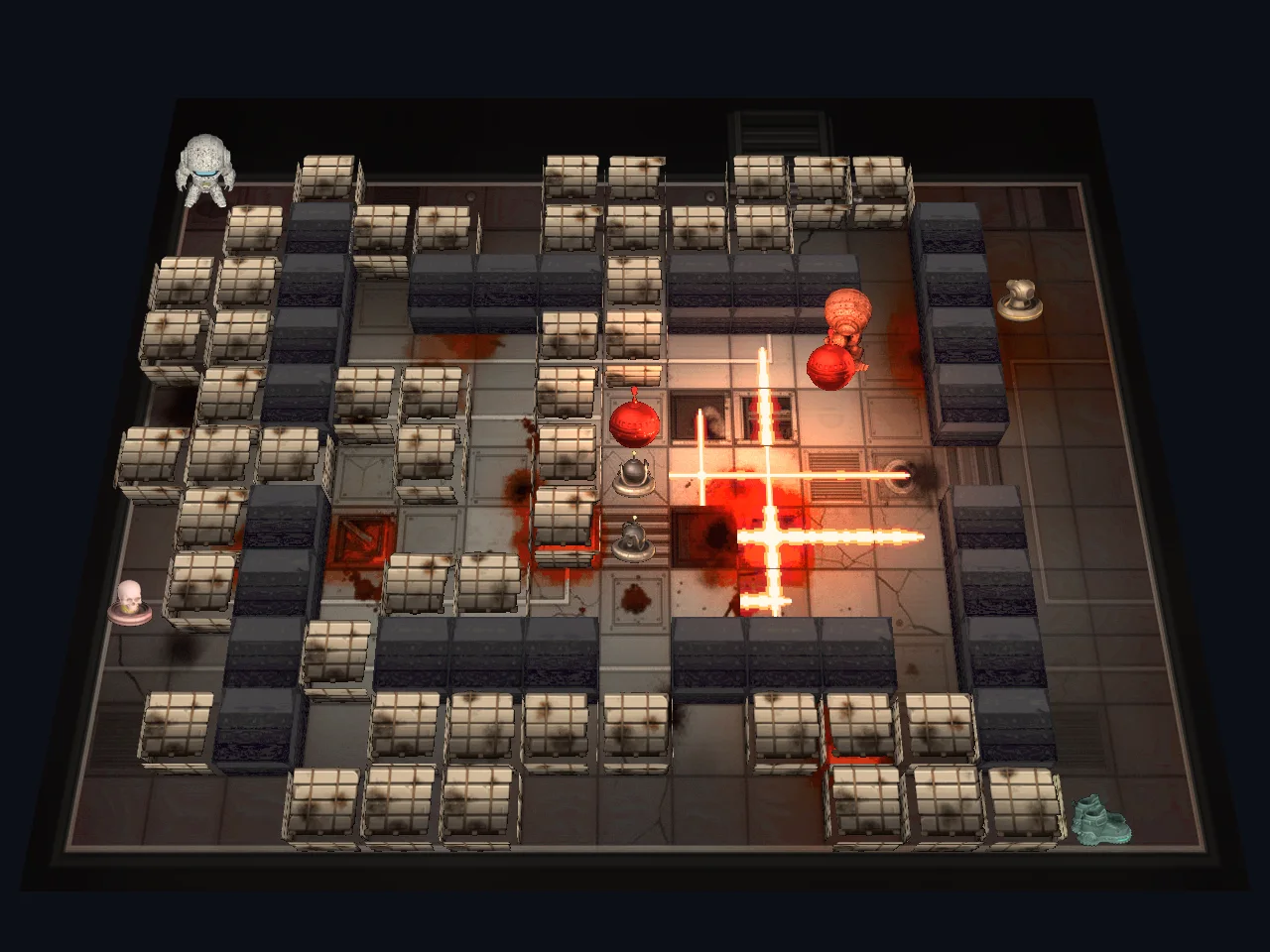
Every sprite has three layers: the finished picture, a light map of what glows by itself, and a normal map so light falls right on every pixel.Render 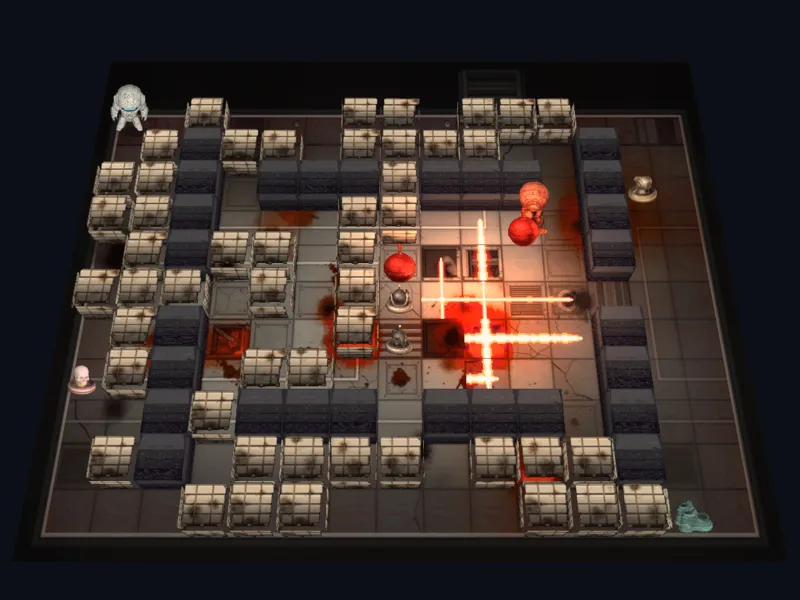
At night the explosions are light sources.In game 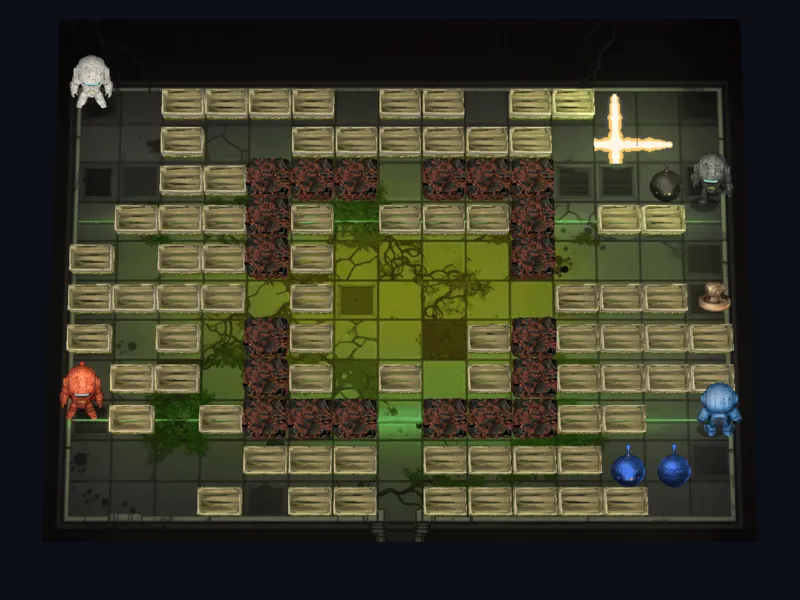
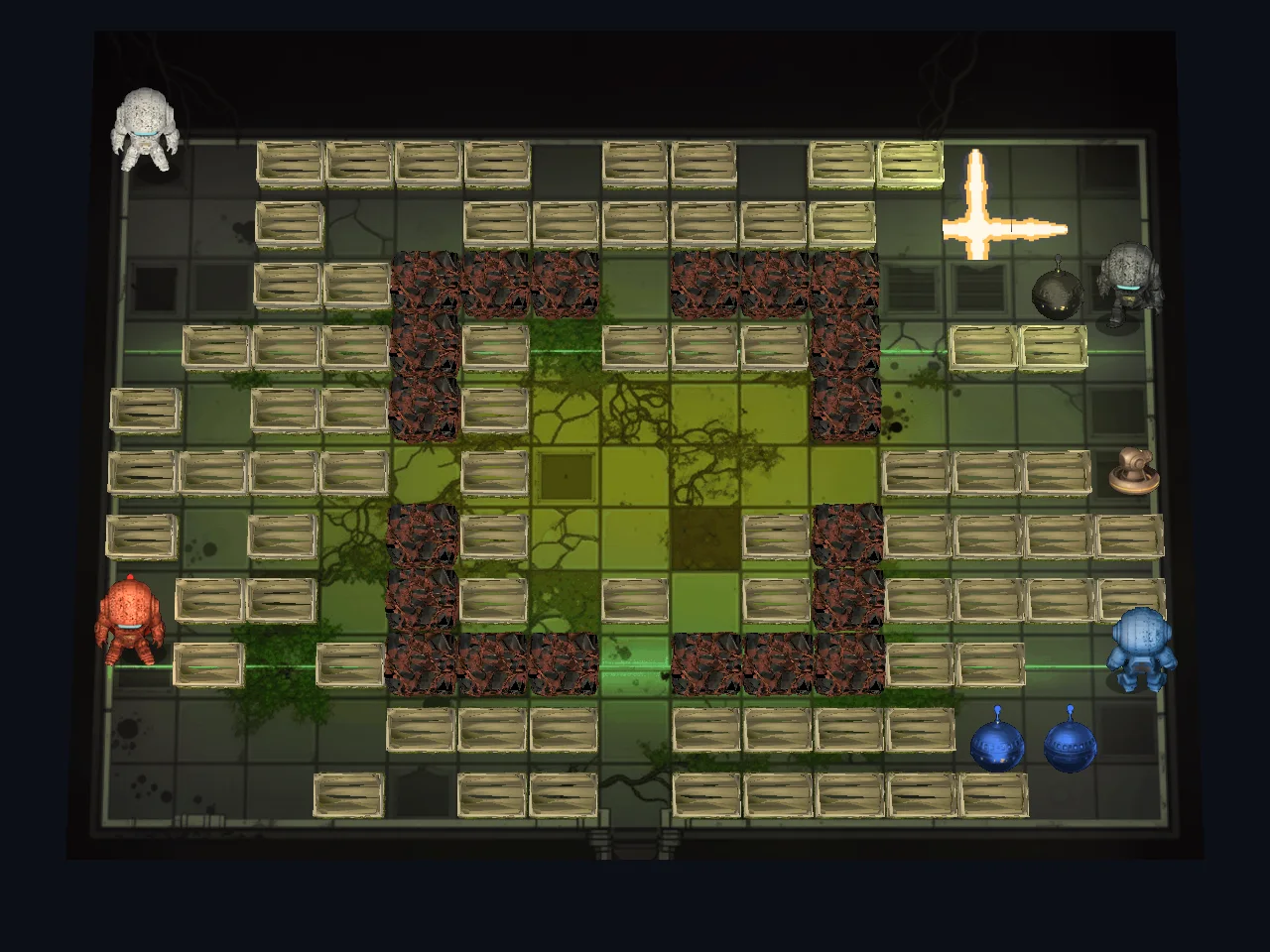
An arena with the blocks as real 3D models.In game
The art: AI where it's strong, code where it has to fit
The rule became: 3D for anything that moves, AI images for anything that stands still, and code for anything that has to fit the grid exactly.
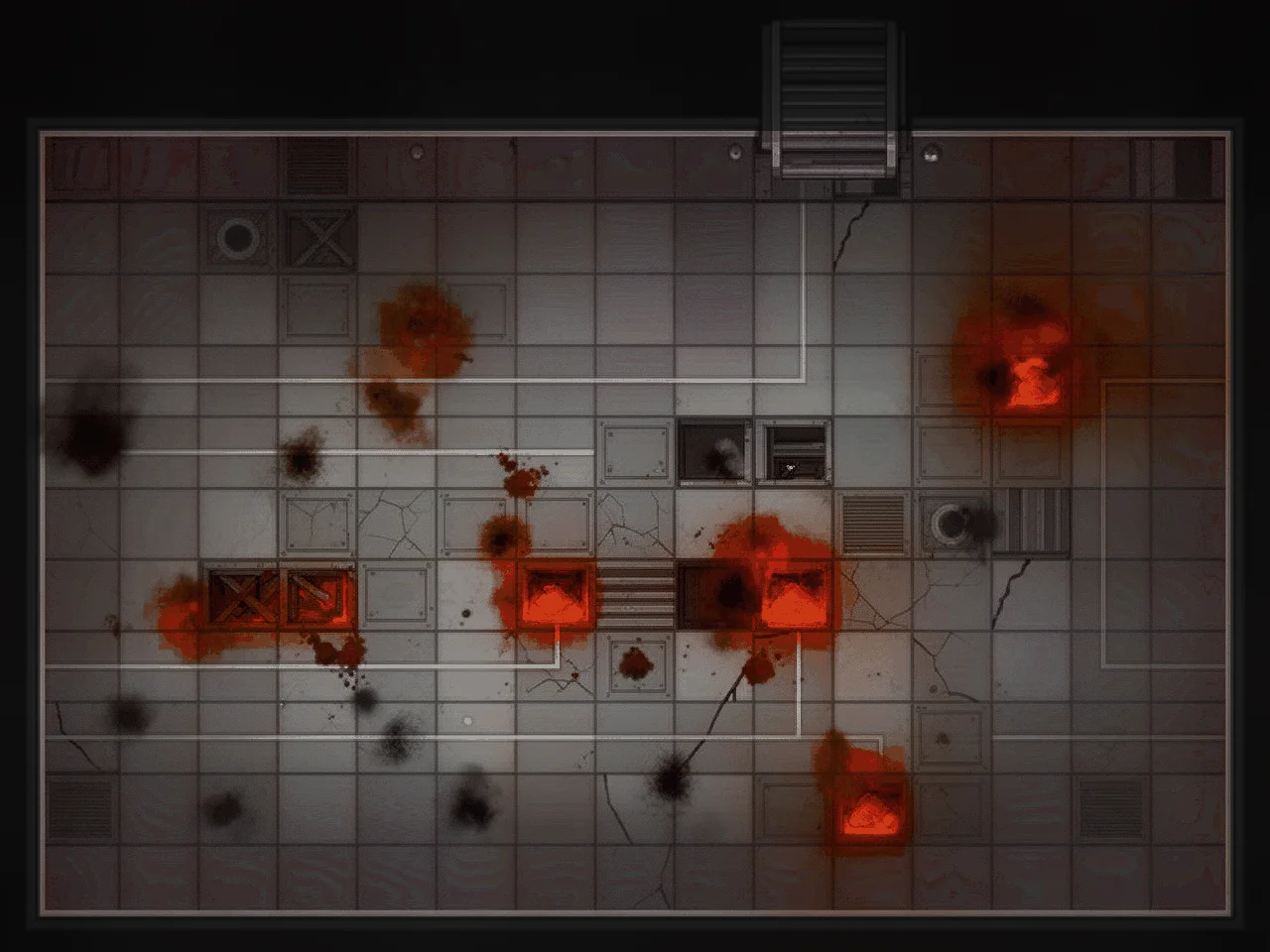
- AI images: the title picture, the screens, the concept art and the arena floors were made with the FLUX.2 image model in ComfyUI, and the very first robot concept with FLUX.1. The floors are painted on top of a grid drawn by code, and the seams are laid back on top afterwards so they line up with the tiles.
- Code: flames, the HUD, special tiles and shadows are drawn by small C# programs, so edges and grids are exact to the pixel.
- Local: everything runs on my own graphics card, an AMD Radeon RX 7900 XTX with 24 GB. It only costs electricity, so you can make a hundred attempts without thinking about the price.
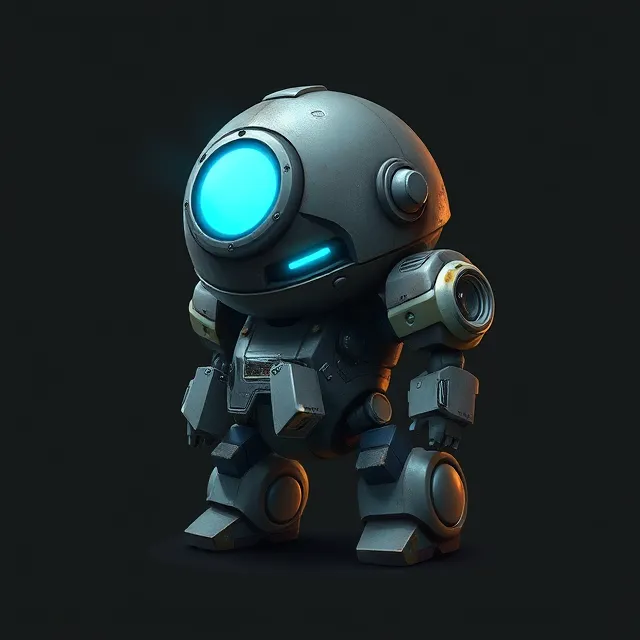
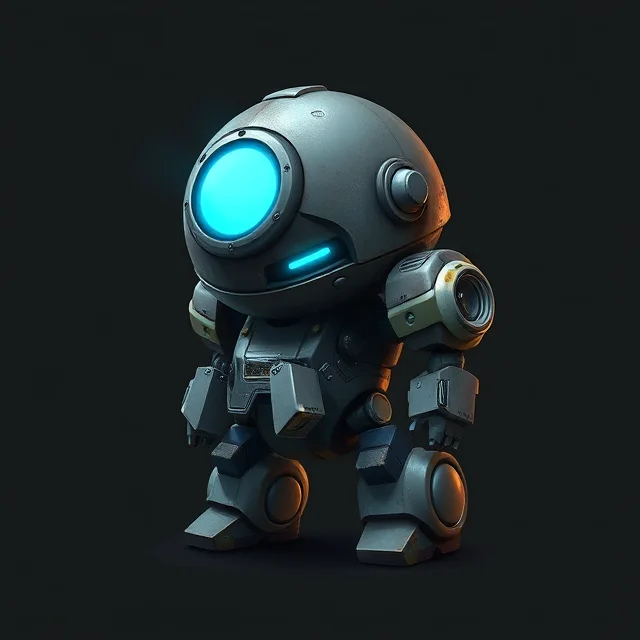
The first concept picture of the robot, made with FLUX.1.AI 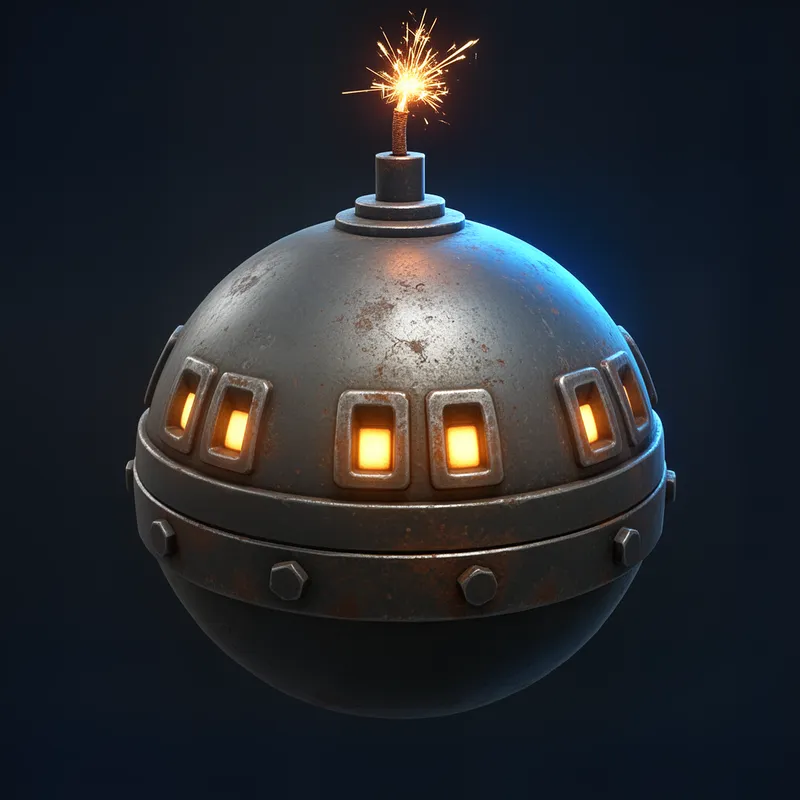
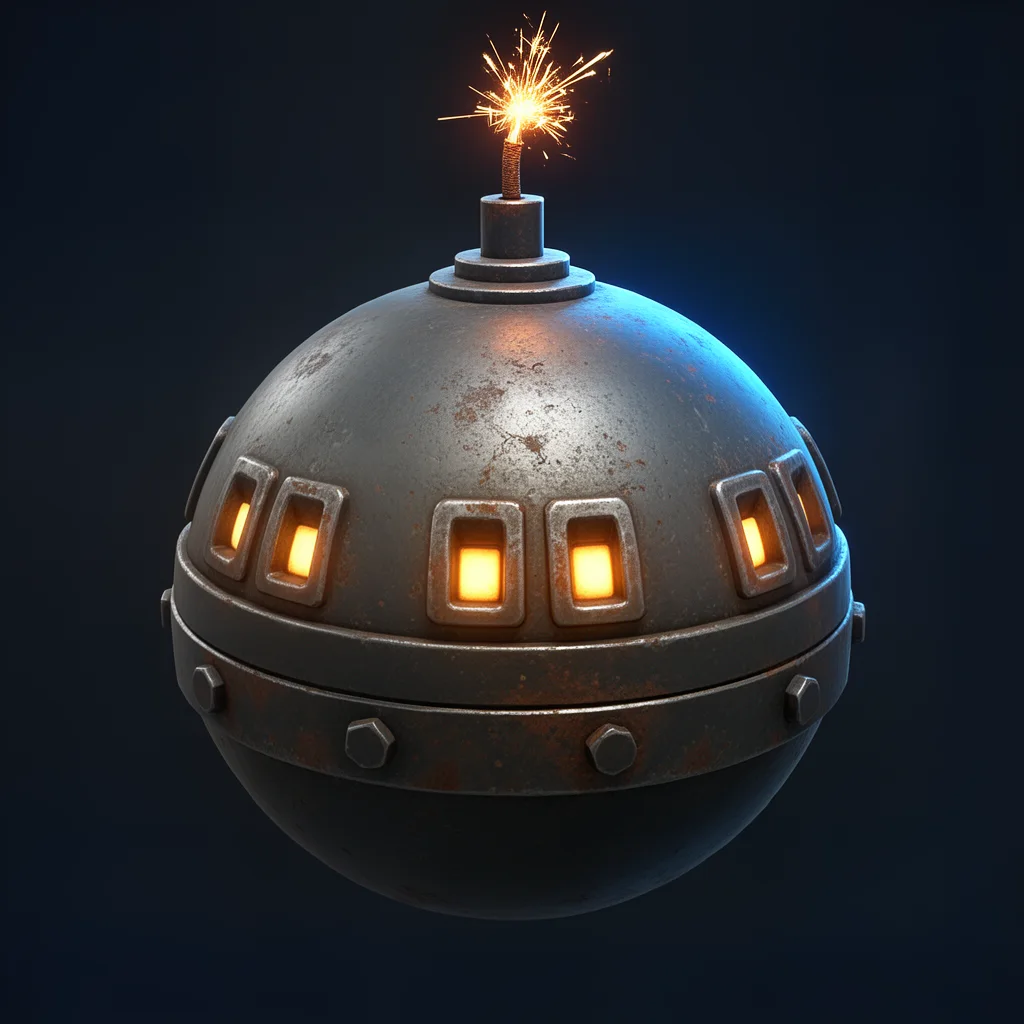
The concept picture of the bomb, made with FLUX.2.AI 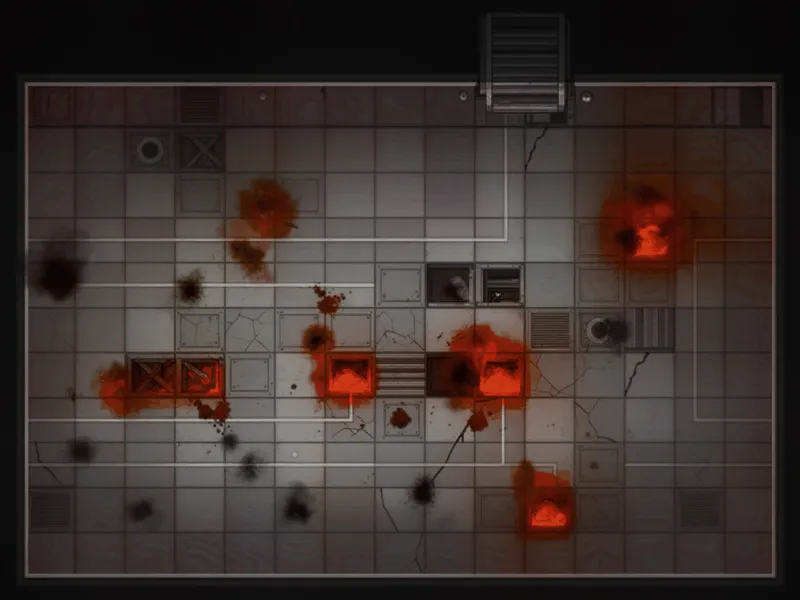
The floor of the Kiln arena, painted by AI on top of a grid drawn by code.AI
The 3D models: from one picture to a whole robot

AI images have a problem in games. Make every frame of a walk cycle separately, and they're never quite the same: details, light and shape shift a little from frame to frame, and played back 15 times a second, it flickers. A 3D model, on the other hand, looks the same in every frame, and a whole walk cycle in four directions renders in seconds. So the robot goes through a pipeline:
- One good concept picture of the robot, made with AI.
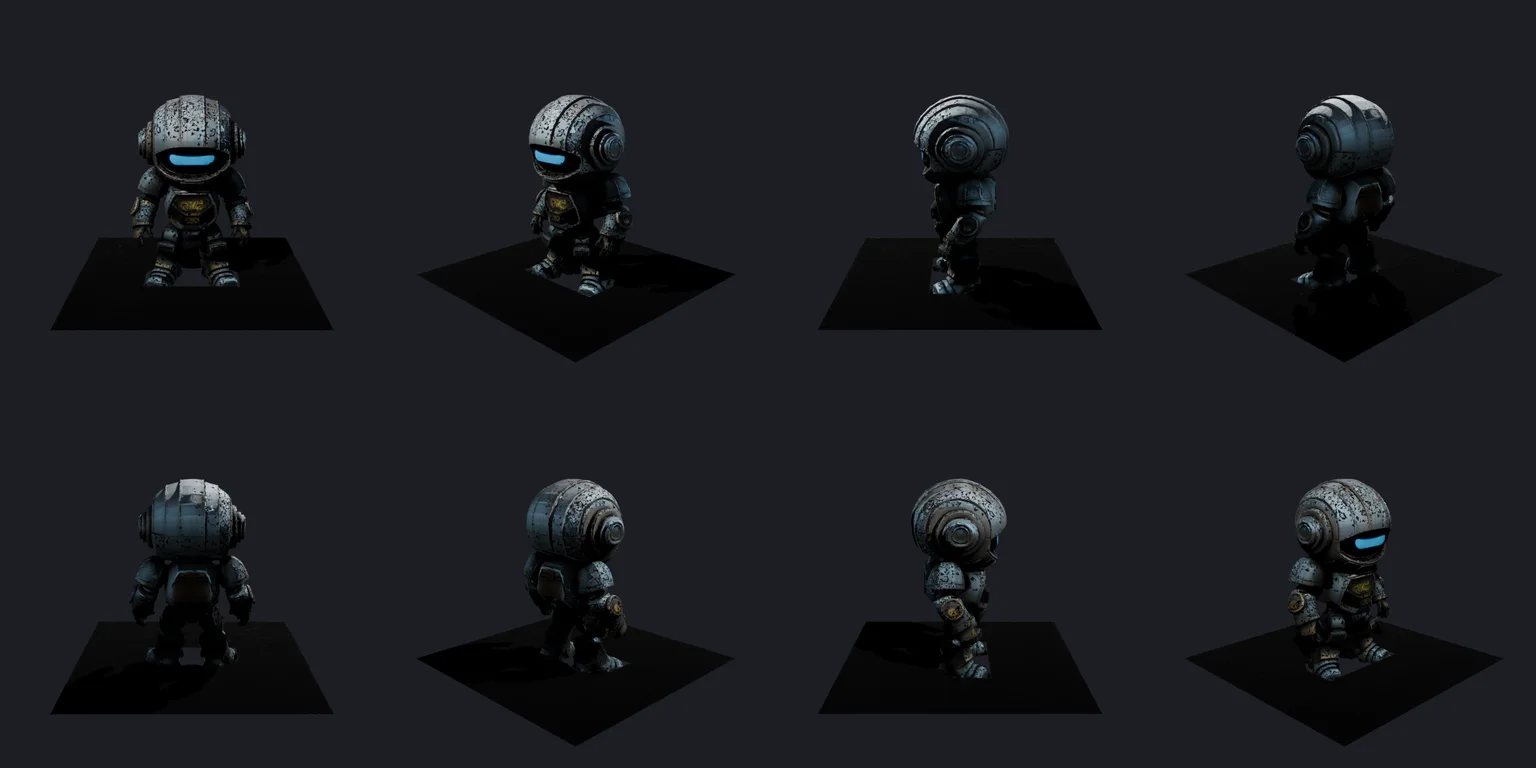


- TRELLIS.2 turns the picture into a textured 3D model.
- Blender, driven by Python scripts without a screen, cuts off the model's base plate, gives it a skeleton and animates it.
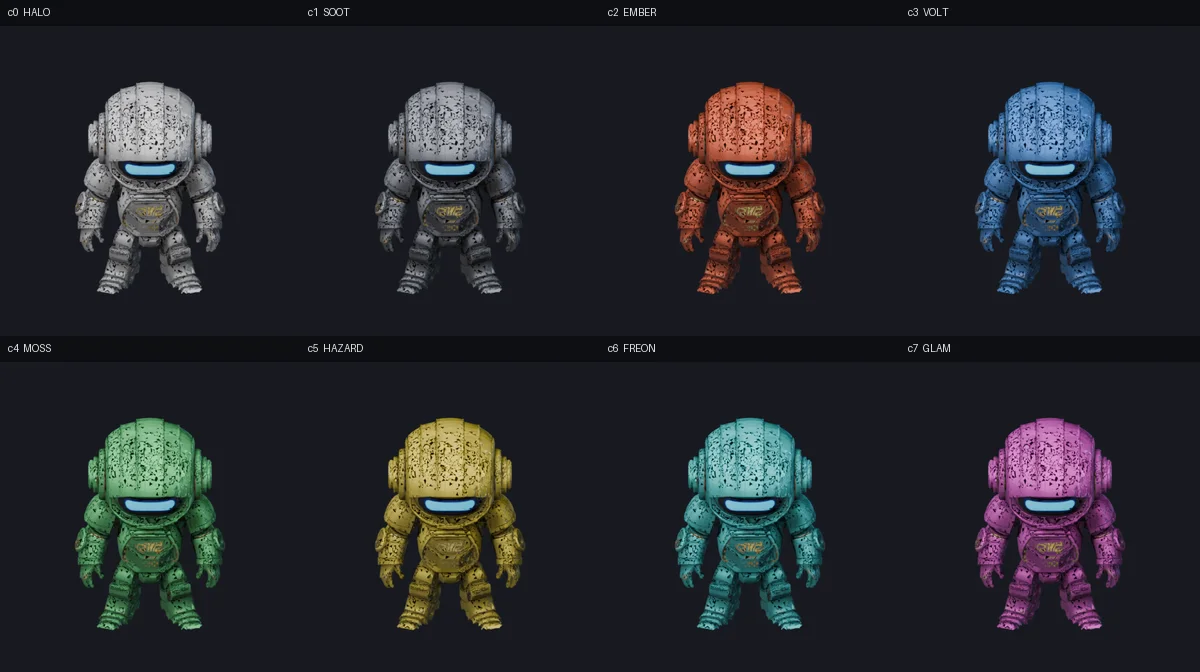
- The animations are rendered as sprite sheets in four directions and ten colours, which the game shows.
The blocks in the arenas come from the same kind of pipeline. In the 3D view they are real models in 7 of the 11 arenas, at around 8,000 triangles each.
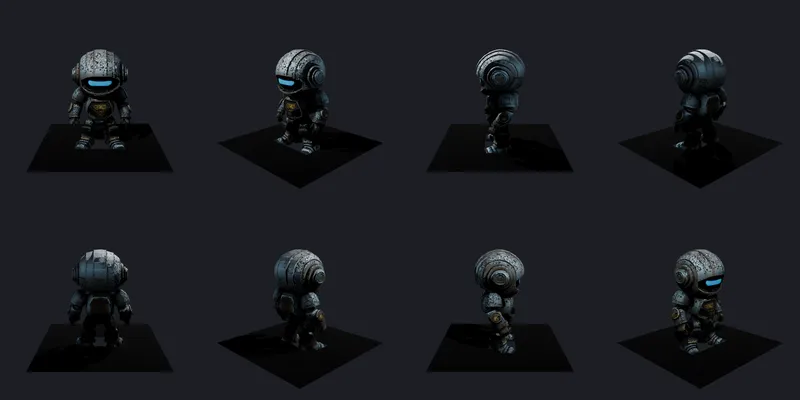
The robot as a 3D model from TRELLIS.2, seen from eight angles.Render 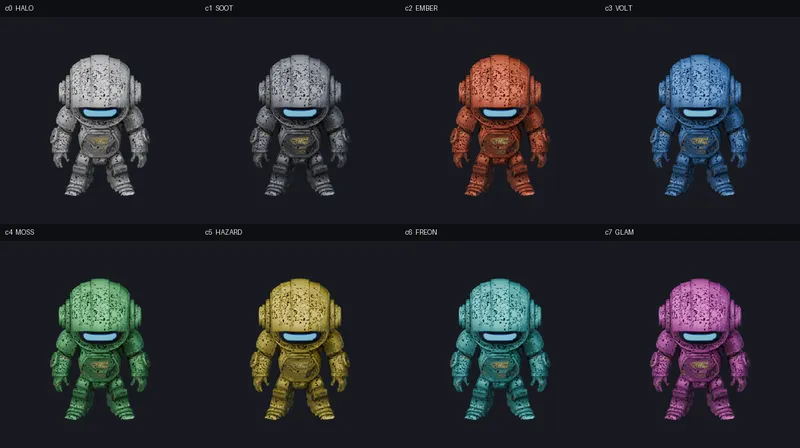
The robots in their colours. The colour is a material in Blender, so a new one takes seconds.Render
The moving parts
The walk is maths. Thighs, knees, feet, arms, back and head each follow their own sine curve over a 15-frame step. The knee bends in the middle of the swing, not while the foot is on the ground, or it looks like a moonwalk. The head leans slightly against the body so it stays level.
Actions such as kicking, punching and picking something up are key poses that Blender blends between. The first attempts were anatomically sensible and couldn't be seen at all at small sizes. In a game the silhouette has to change clearly, so everything is exaggerated.

A robot can die in two ways: it falls apart in a physics simulation, or it melts. The bomb has six animations, and the 14 power-ups spin around over 24 frames each. Click a picture to see the animation.
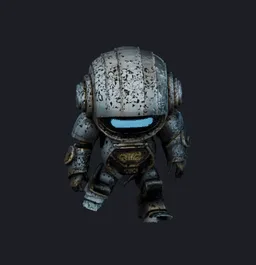 (play the animation)
The walk: 15 frames rendered from the 3D model.Render 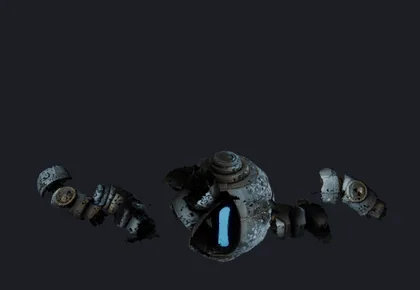 (play the animation)
The robot falls apart, simulated with physics in Blender.Render 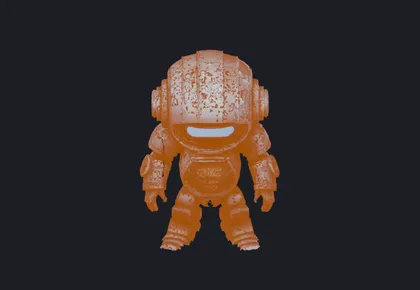 (play the animation)
Or it melts.Render 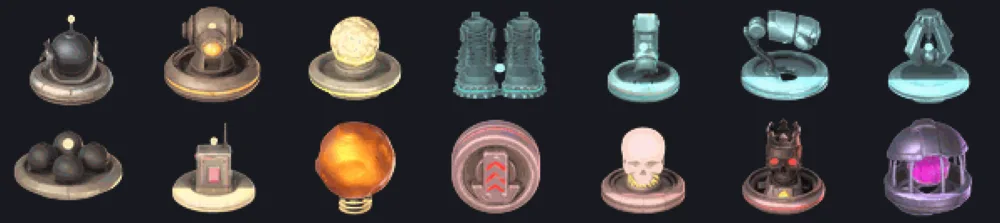 (play the animation)
The 14 power-ups, spinning.Render
Sound and announcer
The music and sound effects aren't audio files. They're written as notes in code and played by a synthesizer in the browser while you play. 33 arena loops and 4 screen tunes in eight genres take up a few tens of kilobytes instead of 55 MB of audio files.
The announcer has 962 lines, some of them in languages other than English. The voice was made with text-to-speech from a written description of the voice, and no recording of a real person went into it.
Want to make a browser game yourself?
This is what I'd do again:
- Let the server decide. A deterministic simulation on the server gives you fair play, replays and tests almost for free.
- Build bots early. They fill empty seats, take over when someone loses their connection, and are the best testers you can get.
- Use AI for single pictures. For anything that has to look the same from frame to frame, 3D or code is better.
- Start in 2D. Make 3D a choice, so the game works on every machine from day one.
- Watch the size. Set a limit on how much the browser has to download, and let the build fail when it's exceeded.
- Make it easy to get in. A link, a four-letter code or a QR code, and no account until people want one.
- Automate deployment. Once a change is tested, it should be live without you doing anything.
Try it yourself
Atomic Grid is free and runs in the browser. Make a lobby, share the code, and fill the empty seats with bots.
If you'd like help with a game, a web app or AI in your workflows, feel free to get in touch.